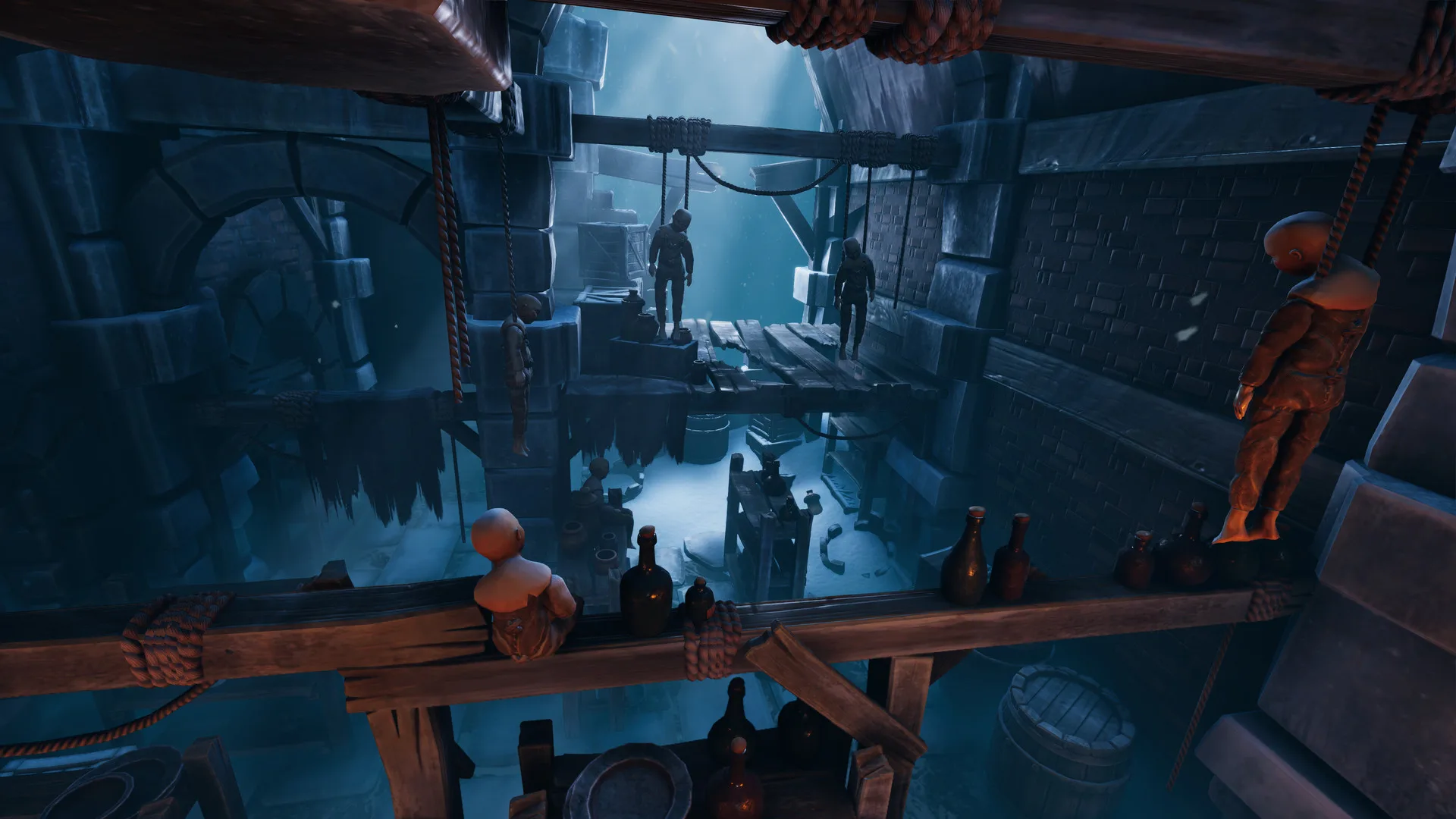
- We Were Here Forever cross platform play connects PC, PlayStation, and Xbox players in two-player co-op.
- Two players required: the campaign is built exclusively around asymmetric online cooperation.
- Voice communication is core: each explorer sees different clues and must describe them aloud.
- No local split-screen: each player joins from their own system over the internet.
- Prepare before starting: confirm connections, audio, and crossplay settings with your partner.
We Were Here Forever Cross Platform Overview
We Were Here Forever cross platform support allows two explorers to escape Castle Rock together even when they own the game on different systems. As the fourth entry in the series from Total Mayhem Games, the adventure launched on May 10, 2022 and officially supports online co-op and cross-platform multiplayer across PC, PlayStation, and Xbox. Because every puzzle deliberately splits clues between two players, the game depends on a stable connection and clear voice communication rather than optional matchmaking features.
| Feature | Support | Player Notes |
|---|---|---|
| Online Co-op | Supported | Built for exactly two players with asymmetric clues |
| Cross-Platform Multiplayer | Supported | PC, PlayStation, and Xbox players can connect |
| Local Split-Screen | Not Supported | Online-only co-op; each player uses their own system |
| Player Count | 2 Players | Two distinct explorer roles; no single-player campaign |
| Voice Communication | Core Mechanic | Walkie-talkie-style exchange is required to progress |
PC (Steam)
- Windows 64-bit, 8 GB RAM minimum
- DirectX 11-capable GPU
- Roughly 25 GB storage
PlayStation
- PlayStation 4 and PlayStation 5
- Online multiplayer access required
- Supports cross-platform sessions
Xbox
- Xbox One and Xbox Series X|S
- Console online subscription needed
- Connects with PC and PlayStation partners
Check that both partners own the game on a supported platform and that cross-platform multiplayer is listed on your store page. Console players also need an active online multiplayer subscription for their platform.
How Cross-Platform Invites Work
Connecting with a partner on another platform follows a simple flow. The game's cross-platform multiplayer system handles the connection, but both players should complete a few checks on their side before entering Castle Rock.
Confirm Your Platform and Connection
Verify the game is installed on a supported PC, PlayStation, or Xbox system and that your broadband connection is stable. A wired connection reduces the risk of mid-puzzle disconnects.
Set Up Voice Communication
Test your microphone and audio output. The series' walkie-talkie communication is how both explorers exchange symbols, routes, and instructions, so audio problems block progression entirely.
Invite Your Partner
Launch the game and use the in-game invite or matchmaking flow to connect with your partner's platform account. One player hosts and the other joins the cooperative session.
Verify Roles Before Starting
Each session assigns the two explorers to different sides of every puzzle. Confirm both players can hear each other clearly before the opening prison sequence begins.
Start the Escape
Once connected, progress from the Castle Rock prison through Rockbury, the Graveyard, and the frozen depths together, describing every clue over voice as you go.
We Were Here Forever does not offer local split-screen play. Both players must join from separate systems with their own copy of the game and an internet connection.
Crossplay Requirements and Setup Checklist
Every successful cross-platform session starts with matching requirements on both sides. Use the table below to verify each item before launching the game.
| Requirement | PC (Steam) | PlayStation | Xbox |
|---|---|---|---|
| Game copy | Steam release | PS4 / PS5 version | Xbox One / Series version |
| Online access | Steam account | PSN online multiplayer | Xbox Live Gold / Game Pass Core |
| Connection | Broadband internet | Broadband internet | Broadband internet |
| Voice setup | Headset or mic recommended | Headset recommended | Headset recommended |
| Storage | About 25 GB free | Console storage space | Console storage space |
Pre-Session Checklist:
- Both players own the game on supported platforms
- Stable broadband connection verified on both sides
- Microphone and audio tested and working
- Console online multiplayer subscription active (if applicable)
- Partner invite method agreed before launching
Cross-platform play works best when both players agree on descriptive conventions before the first puzzle. Naming symbols consistently and describing positions before appearances speeds up every chapter.
Crossplay Tips for a Smooth Session
A strong connection and good communication habits matter more than platform choice. These tips apply whether you pair a Steam player with a PlayStation explorer or two console players on different ecosystems.
- Fix your vocabulary early: agree on names for symbols such as crown, eye, hook, and triangle, and keep using them.
- Describe position first: phrases like top-left or second from the right identify objects faster than appearance descriptions.
- Change one thing at a time: when testing mechanisms, activate a single control and report what changed before continuing.
- Use countdowns for timed actions: short confirmations like ready, activate, and stop keep synchronized sequences on track.
- Retrace when stuck: if progress halts, return to the start of the puzzle and compare every visible clue again.
Later areas beneath the icy surface feature longer puzzle chains. Schedule sessions with enough time to finish multi-stage puzzles without rushing, since some sequences cannot be paused midway.
FAQ
Q: Is We Were Here Forever cross platform between PC and consoles?
Yes. The official Steam listing and game page confirm cross-platform multiplayer support, so PC, PlayStation, and Xbox players can play the two-player co-op campaign together.
Q: Can I play We Were Here Forever solo or in split-screen?
No. The game is designed for exactly two players online, and local split-screen is not supported. Every puzzle splits information between two explorers communicating by voice.
Q: Do I need PlayStation Plus or Xbox Live to play crossplay?
Console players generally need an active online multiplayer subscription for their platform to join online co-op sessions. PC players only need a Steam account and a broadband connection.
Q: What should I do if voice chat is not working in a crossplay session?
Test your microphone and audio output before starting, check in-game voice settings, and confirm the correct input device is selected on your platform. Since voice communication is a core mechanic, fixing audio first is essential before attempting puzzles.